

Hi there!
In this newsletter:
Support: We’d love your support with our ProductHunt launch!
Cool: StreamAlive helps summarize your meeting chat
StreamAlive for PowerPoint is ready to install!
38 years ago, Robert Gaskins changed the way businesses, teachers, and speakers presented their material.
Today, with our new PowerPoint add-in, StreamAlive is turning those presentation monologues into dialogues with your audience.
It’s completely free to install for all PowerPoint users right now.
Here’s a quick look at what you get and how it works.
(Ask your email client to display images if you don’t see any images below!)

You have over a dozen interactions to choose from, like Word Clouds, polls, spinner wheels, and interactive maps

And other interactions like rating polls, multiple choice questions, and quizzes.

You can even pick up questions from the chat and have your PowerPoint deck display your audience questions on one your slides.

And it’s all powered by the chat of your meeting platform. All your audience has to do is type it in the chat.

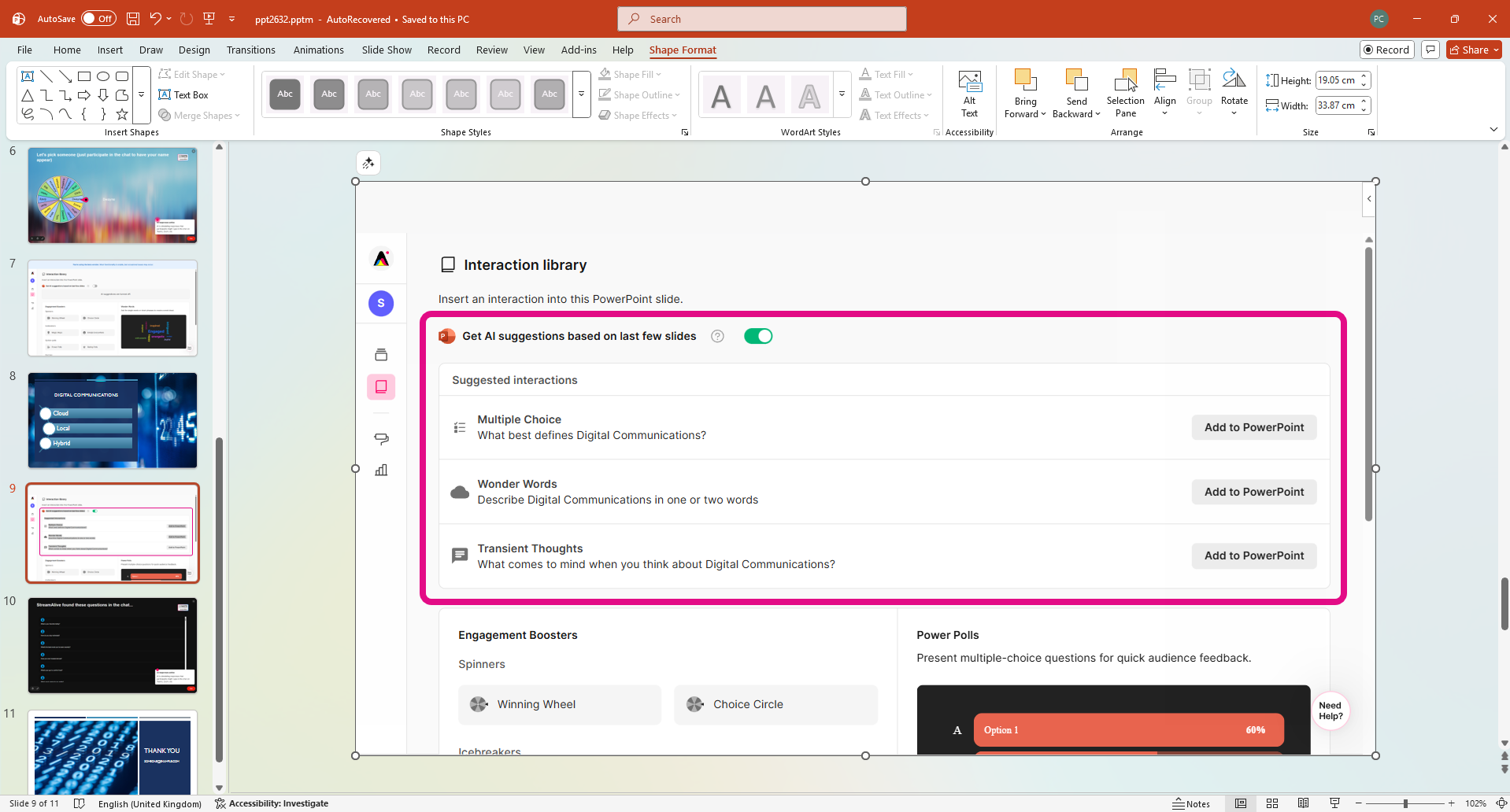
There’s plenty of AI inside as well to speed up your workflows. My favorite is the ability to scan your PPT slides and automatically come up with interactions based on the content!
Our PPT add-in is live on Product Hunt
Although we stopped worrying about ProductHunt launches long ago, we still get a rush when we see our hard work getting votes and generating interesting comments.
If you are able to support our launch today, we’d be forever thankful!

A word about the launch from Lux
Lux talks more about why we built the StreamAlive app for PowerPoint over on LinkedIn.

Summarize your chat in seconds
When the conversation is flowing in the chat it can be difficult to make sense of what the overall sentiment or thoughts are.
That’s where StreamAlive’s AI comes in.
When you use interactions like Talking Tiles or Transient Thoughts or Wonder Words, a simple button click and turn hundreds of chat messages into a quick, clear summary.

Just click the light bulb icon during your live session to generate a full summary of the text. You’ll get:
Highlights: An overview of the themes and topics your audience spoke about
Popular opinions: If there was a theme that many people spoke about or had a consensus on, it would get mentioned here
Alternative voices: If there were any contrarian takes on the popular opinions, they would get highlighted
Notable quotes: If something quite profound was said by an audience member, it would get picked up
As always, we’d love to know your feedback in our community!
Catch us on our social pages
If you haven’t already, check out our social media pages to stay updated on our quirky takes on the latest social media trends and the occasional piece of engagement-related advice.
All the best,
Peter and the StreamAlive team
100% human-written with ❤️